Assignment: Using Generative AI
Practicing when and how to use generative AI tools.
The semester now turns to Using Generative AI, a suite of five assignments where students will learn the tools and a basic design process by using them.
I’ve found that one of the biggest challenges folx face with generative AI is figuring out what it can do. There’s so much talk about generative AI but not a ton of it about when and how to use it. Though students in my course are “digital natives,” they also grapple with what these technologies can do for them. Right now, it’s often used to get the right answers instead of plussing human abilities.
I learned a long time ago that good teaching involves providing examples. I wrote these applied examples for each of the five Using Generative AI assignments, and I hope they help you understand what generative AI can do.
Images
- Shoe Design: Your shoe company proposes a new recyclable lifestyle sneaker, and you need to create shoe images to pitch to the creative director.
- Landscaping: A neighbor is redesigning their lawn with only native plants and needs images to help them show what they want to landscapers.
- Co-Op Video Game: The Creative Director wants you to create a new co-op video game with a retro style, and you need to show images that evoke your concepts.
- Education: The Ormond Beach Elementary fourth-grade team wants to redesign their classrooms to enhance learning. Generative AI can help you design prototype classroom layouts.
Lifehack
- Travel Planning: Plan a three-day trip to Lagos, focusing on local foods, fine arts, and crafts. The outcome is a detailed travel itinerary, including hotel and transportation, that creates an authentic Nigerian experience for travelers.
- Kitchen Organization: Use generative AI tools to help organize spices, pots, ingredients, pantry items, and everything in your kitchen to improve its layout so cooking is more fun.
- Disc Golf Regimen: Create a workout regimen to enhance your disc golf game. The outcome is a detailed plan that touches on diet, exercise, and skill development to take your game to the next level.
Sound, Video, or Code
- Immersive Game Soundscape: You’re creating an immersive game in downtown Fort Worth, Texas. Create sounds for three rooms where players will interact with puzzles and actors. The sounds should match the game’s theme: “adventure through time.”
- Dark Mode Switcher: The Habitat for Humanity website should allow users to switch modes (dark mode, light mode, high contrast, etc). Create HTML, JavaScript, and CSS that will switch the website mode and remember users’ preferences when they return to the site.
- YouTube Video Assist: As a social media influencer, you must streamline the video creation process to save time. Create a sample video as a prototype template for future videos that match your brand.
Professional
- Spreadsheet Formulas: Use generative AI to iterate a spreadsheet formula that will calculate all your grades and output what letter grade you have in each class and the final graduating GPA you will get if you continue earning similar grades.
- Marketing Strategy: The CEO wants you to create a plan for improving roller skate sales as roller rinks decline. The outcome is a strategic plan for social media marketing and product placement.
- Résumé Development: Create a resume that aligns with a career in biomedical engineering. Use generative AI to develop language for the résumé and test the resume against job postings.
Story
- Personalized Children’s Story: Your nephew loves bedtime stories. Create a story that inserts their name (first name only!) into a space adventure that a six-year-old can understand.
- Table Top Roleplaying Character: You are a Storyteller for a Star Trek Adventures group. Create backstories for three non-player characters from the planet Ni’Var, so your live players can have fun interacting with these NPCs.
- Ideas for a Novel: A friend asked for help writing a novel. They have rough ideas for a story about high school students who feel out of place in their town—Rock Springs, Wyoming. Create an outline and story arc for the novel so these characters struggle to find their identities, written in a way that helps readers better understand they are not alone.
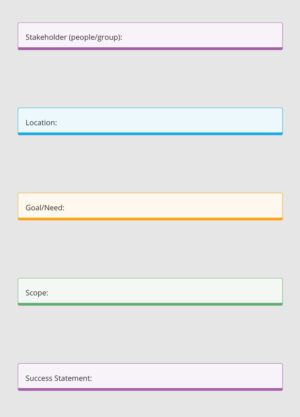
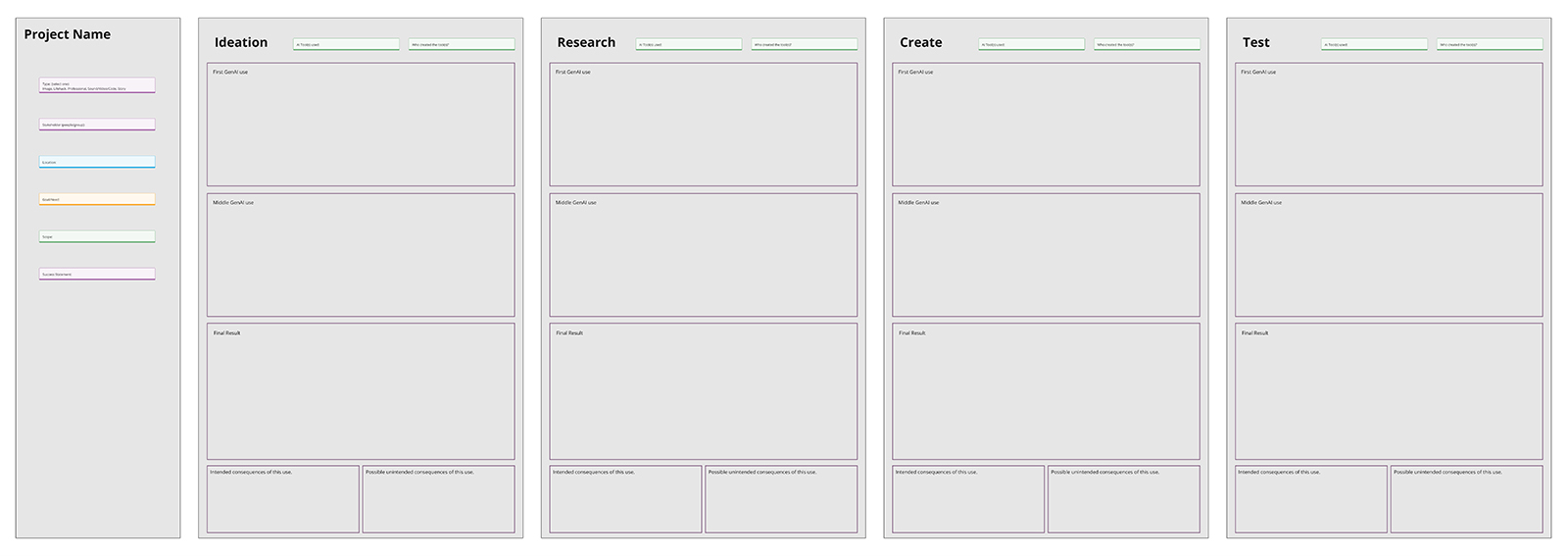
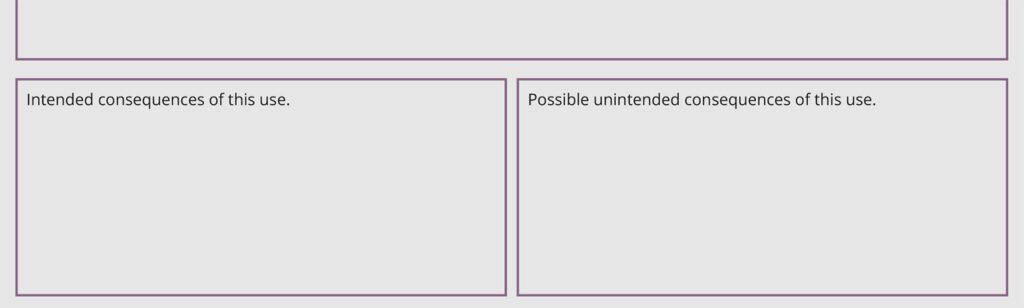
The Using Generative AI assignments challenge students to evaluate intended and unintended consequences. For each assignment, students share their process and examine the effects of their decisions along the way. Below are some screenshots of the Miro Board template I created for one of these assignments.
Here’s the full “image” assignment in the course (in Canvas LMS).
Let’s Learn the Tools By Doing
I’m guessing this is really the reason why you’re here—you want to learn to use Generative AI for great effect. Well, let’s gooooo!
This is one of five assignments where you will be asked to use a generative AI tool to create outcomes that meet a relevant party’s needs. For this assignment, you’ll make one of the following with Generative AI: Image, Lifehack, Sound/Video/Code, Story, and Professional.
To get Experience Booster credits for this class to achieve an A grade, do extra Using Generative AI Tools assignments that apply any of the Image, Lifehack, Sound/Video/Code, Story, and Professional five assignment types. One of these Experience Boosters will ask you to combine different tools.
Why Are We Doing This?
The best way to learn is through experience. It can be difficult to know at what stage generative AI is most useful in the design process. This assignment will help you practice the tools and assess when they are most effective or appropriate.
| What to Do | How to Do It | Where to Turn It In | Who Does It |
|---|---|---|---|
| One Image-centric generative AI tool process. | Miro | Miro Board: Using Generative AI: Image S25
Links to an external site. Post an “I’m done” message on this page after completing the work. |
Everyone |
Here’s what we are trying to learn. If you can do these, the assignment will be complete.
- Align AI Outcomes With Relevant Parties’ Needs: Use generative AI tools to create outcomes that match relevant parties’ needs.
- Create Detailed AI Outcomes: Create outcomes with generative AI tools with a high degree of formal and functional detail.
- Use AI Ethically: Demonstrate ethical use of generative AI tools.
- Iteration: Demonstrate an ability to explore a wide range of solution concepts.
Post your work in the Miro Board linked above. I have created a starter template in Miro as a guide. Please make a copy of the starter template, name it with your name, and get started.
Include work for each of these stages:
- Ideation
- Research
- Creation
- Testing
Use generative AI tools to produce work for each stage of a basic design process. The “examples” section below provides inspiration and guidance for this assignment type.
Include these details on your Miro Board:
Relevant Party/User
Each Using Generative AI Tools Assignment starts with a relevant party. Who are you designing for? You may select any stakeholder (individual or group) that you wish. The relevant party can even be fictional. And yes, if the instructor allows, you can use this project to enhance your work in another class.
- Name of relevant party (individual, group, organization, etc.).
- Location where this outcome will be used.
- Scope of the use, such as a local or personal initiative, an international initiative, etc.
- The relevant parties’ “goals” or their organization’s purpose. What do they want to accomplish?
- A success statement: if the relevant party accomplishes (blank), the thing you created with AI will have been successful.
This content will guide your design process. The Generative AI outcome is only successful if it matches the need.
Generative AI Tool
- The name of the Generative AI tool(s) you used to produce this outcome.
- Who created the tool?
- The intended consequences of using these tools.
- The possible unintended consequences of this use. Carefully consider the ethical implications of using a tool the way you did.
Iterative Process
Show two “in progress” variations of the work. This is a process that is more than a once-then-done. Create, assess, revise…
What to Include in These Sections
In the “First GenAI use output”, “Middle GenAI use output,” and “Final GenAI use result,” include the following:
- The prompt you entered into the GenAI tool
- The output from the GenAI tool
- If the output is too long, paste it into a Google Document, etc, and paste a link in the output/result boxes in Miro.
During this process, share your “Thinking Moment” and “Decision Time” several times. This is where you get to explain how you’re using the tool and share your thinking.
Thinking Moment
- What about this GenAI tool’s output was helpful? Share how the output aligned with your goals.
- What about this GenAI Tool’s output missed the mark? Share how the output needed improvement or how the input was not what you expected.
Decision Time
- What will you do for the next step to get an outcome closer to your goal? Share what you will change—in your prompt, a new direction, etc. to get a better response.
- Why did you decide to make this change? Share why you made this change—what about the initial output or your discovery makes you want to you adjust the prompt?
Final Generative AI Outcome
Include at least one image, source code link, video, or written text on the Miro Board. Show the final result.
Where to Aim
Shoot for completing this work at or beyond the level indicated below.

Detailed Mockup: Outcomes are designed with enough detail so internal stakeholders can understand their character and operation and decide what steps to take next.
Details about execution levels are in the Course Reference module.
- Determine the scenario and a need—an initiative that utilizes the kind of outcome you are creating (Image, Story, etc.). See examples below.
- Define a relevant party (stakeholder) and goal for your generative AI tools.
- Follow a basic design process and create with generative AI (document your process along the way).
- Show work in progress in class and discuss it with other students in our working groups during in-class sessions.
- Miro Board Work: Post a message in the text area that your work was turned in. Thanks! 👌
- Check feedback in Canvas and other documents (if we used Miro, Google Docs, Figma, etc.).
- Make revisions if needed.
- Post a message on this Canvas assignment page that your revision is ready.
These are project examples of an image outcome assignment.
- Shoe Design: Your shoe company proposes a new recyclable lifestyle sneaker, and you need to create shoe images to pitch to the creative director.
- Landscaping: A neighbor is redesigning their lawn with only native plants and needs images to help them show what they want to landscapers.
- Co-Op Video Game: The Creative Director wants you to create a new co-op video game with a retro style, and you need to show images that evoke your concepts.
- Education: The Ormond Beach Elementary fourth-grade team wants to redesign their classrooms to enhance learning. Generative AI can help you design prototype classroom layouts.
Do many revisions. Your initial prompt will likely produce a poor result.
Dream big! Use this assignment to explore and learn the tools. Have fun with it.
p.s. You can use all the Using Generative AI Tools assignments for the same topic!



Psst. Post a message down here when you turn in or make a revision so I can give feedback. Thanks! ⤦
Students will complete this assignment over the next three weeks, where together, we’ll work on prompt engineering, design thinking, and evaluating outcomes. I’m excited to discover what they will create.